Lech Ski Map: How to Read the Piste Map and Live Status
Use the official Lech Zürs and Ski Arlberg map to check open lifts, current ski runs and sector links, plus the app's ski-navi for route planning.
On this page
A Lech ski map is not one document but two jobs: a live status board you consult on the morning, and a static picture you study the night before. The official Lech Zürs interactive map covers lifts, ski runs and resort highlights with live updates, and that is the view to trust for what is actually running. A general overview of the resort is a sensible companion read, so keep the Lech Skiing Guide open alongside the map when you plan.
The practical decision comes down to three tools: the browser-based interactive map with zoom and filters, a downloadable PDF piste map, and the Ski Arlberg app, which includes a ski-navi route feature. Decide which you need before you travel, because each answers a different question on the day.
Why the Official Lech Zürs and Ski Arlberg Map Comes First
The official Lech Zürs map is built as a live operational tool rather than a printed picture. It shows open cable cars and lifts, current ski runs and resort highlights, and it is updated with conditions rather than republished once a season. Use it whenever the question is what is running right now.
A downloaded or reprinted map image cannot answer that question, because it freezes one moment of the winter. Keep static images for orientation, distance reading and talking through a plan at breakfast. When the two disagree, the interactive official version is the one that reflects current operations.
Which Map View You Actually Need
The interactive map rewards zooming and filtering: you narrow to the sector you are skiing from and read the runs around it, rather than squinting at the whole Arlberg at once. Filters help you strip out layers you do not need, so the picture stays readable on a phone in a lift queue. Before you rely on it for a route, check how the Lech ski pass boundaries sit against what you have drawn, since a mapped connection is not automatically a ticket entitlement.
A PDF piste map is a static orientation aid, useful offline and better than a phone for seeing a whole sector's shape at a glance. The Ski Arlberg app goes further with a ski-navi feature that takes a start point and destination and displays a route through lifts and runs with times and current information. Choose the app when you want a suggested line, the PDF when you want the geography in your head.
Reading Scale and Connections Across the Ski Arlberg Area
The Ski Arlberg area is published at 301 kilometres of ski runs served by 85 cable cars and lifts. Those figures describe the whole linked region, not the Lech and Zürs sectors alone, so the map's scale is the honest way to judge whether a planned day is realistic. Read the connections drawn between sectors rather than inferring a link from a resort name.
A drawn link tells you the terrain connects, and nothing more. Whether the lift behind it is turning, whether the run is prepared and whether your pass covers that sector are three separate questions the map's status layers and your ticket terms answer. Treat any long traverse or sector hop as a plan to confirm on the day, not a fixed itinerary.
Using the Map's Live Layers Sensibly
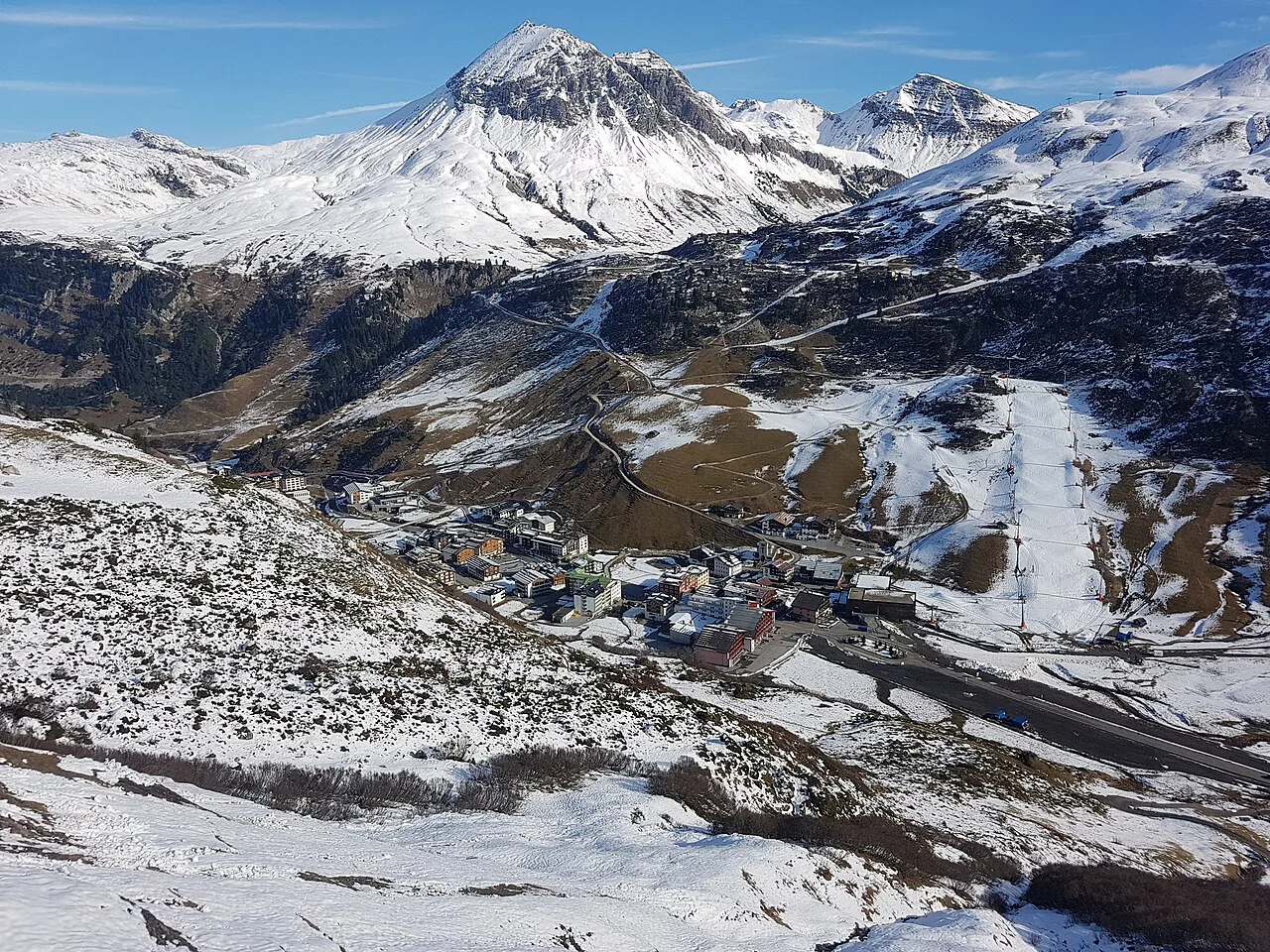
Alongside the map, the official live page reports weather, the snow report, webcams and available car parks in one place, with open lifts and open ski-run kilometres. These are current status readings taken at the moment you look, and they change by the day and the hour. Read them as a snapshot of now rather than a forecast for tomorrow.
A snow depth figure or a season statistic is not a promise that every lift, link and piste will run. A scheduled winter season is conditional on conditions and operating decisions that no map can guarantee. Build flexibility into the plan: pick a primary sector and keep a shorter alternative that stays inside the area you can reach.
Route Planning With the App and Ski-Navi
The app's route feature is the practical middle ground between a static map and guesswork. Enter where you are starting and where you want to finish, and it shows the ideal line using lifts and runs, with times attached. Use it for marked, on-piste legs of a plan, and cross-check the sector layout on the map so you understand the shape of the day rather than following a line blindly.
For skiers still building confidence on marked terrain, the Lech skiing for beginners page is the better companion than a route line drawn across the whole region. Pick one sector, learn its lift pattern and keep your ambitions inside it. If your wider trip involves comparing resorts, the Ischgl Ski Map Guide follows the same logic of reading one area's layout properly before you commit, and the Kaprun Piste Map shows how that approach translates elsewhere.
Checks Before You Rely on the Map
On the morning itself, confirm which lifts and runs the map shows as open that day, and re-check after lunch if conditions have shifted. Ask which sector you are skiing from and whether the route you have drawn stays inside the area your ticket covers, because entitlement and terrain are separate questions. If the map does not settle a point about coverage or operations, treat it as something to confirm locally rather than assume.
Timing shapes the same decisions, so it is worth knowing when the Lech ski season is scheduled to start and end before you build a map-led plan around a specific week. Scheduled dates are conditional rather than a guarantee of full operation. Plan the map work around that window, not against it.
Plan Your Visit
Start with the official interactive map for anything that must be true today, and keep a PDF or printed map for orientation and offline reference. Use the app's route feature to test whether a planned day hangs together, then confirm the opening status and your pass coverage yourself before you commit.
The map is a planning instrument, not a guarantee: it shows what is open now, while the season itself stays conditional. Treat sector links as questions to check on the day and keep one shorter alternative ready for each day you sketch out.
Frequently Asked Questions
Where can I find the official Lech ski map?
The official Lech Zürs and Ski Arlberg map is published on the ski region's own site under its map and navigation section. Use that version for live decisions about open lifts and current ski runs, because it reflects operations rather than a fixed published image. A downloadable PDF piste map also exists if you want a static copy to look at offline.
Does the map show which lifts and runs are open?
Yes. The official interactive map is designed to show open cable cars and lifts together with current ski runs, and the live page beside it reports weather, the snow report, webcams and car park availability. Treat all of those readings as a snapshot of the moment you check, not as a forecast or as a promise that every lift, link and piste will run.
Do the lifts and runs on the Lech map connect across the Ski Arlberg area?
Ski Arlberg is presented as a linked area of 301 kilometres of ski runs served by 85 cable cars and lifts, and the map draws the connections between sectors. A drawn link shows that the terrain joins up; it does not by itself tell you whether the lift is running that day or whether your ticket covers that sector. Check both before planning a long traverse.
What does the Ski Arlberg app's ski-navi do?
The app's ski-navi lets you enter a start point and a destination and then displays a route using lifts and runs, including times and current information. It is a route-planning aid for marked terrain rather than a substitute for reading the map's sector layout. Cross-check any suggested line against the official map so you understand the day's shape, not just the sequence of lifts.
Sources
Useful notes for your next ski trip
Optional updates to our Alpine resort guides.
You might also like
Continue reading
More guides you'll find useful